RockArm
RockArm holds your phone for practice: mount it upright on a curling rock handle to view SmartBeam results, or use it horizontally with the included broom sleeve clip to record your delivery.
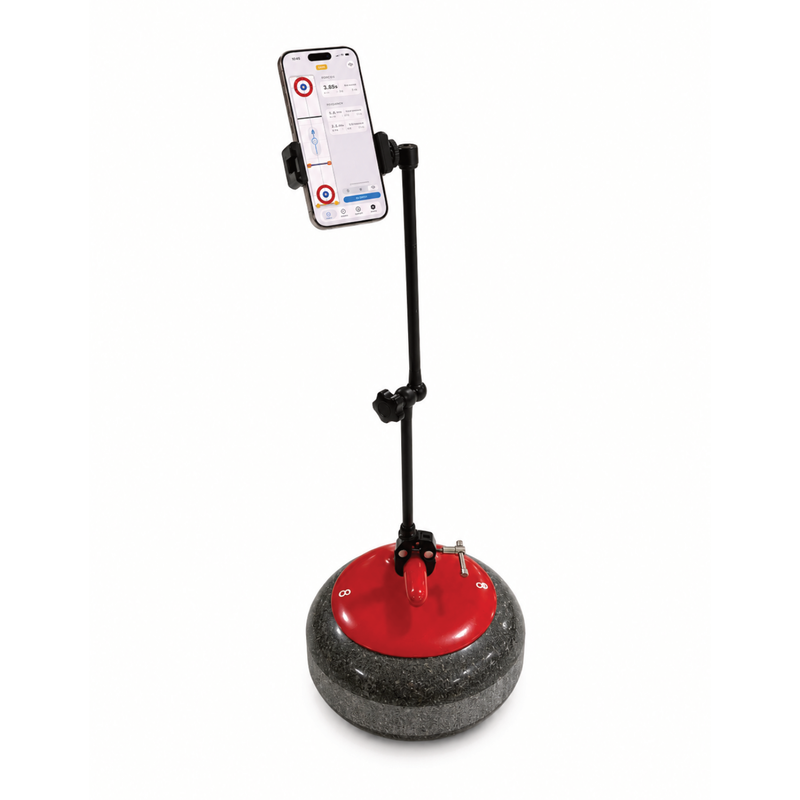
Use as a SmartBeam display
Mount your phone upright on the rock handle and open the SmartBeam tab to view split times and rock speeds during practice.
The best position is beyond the throwing-end hog line, with the screen facing back toward the hack. This puts the display in view just after you release the rock, so you can see your results as you finish the delivery.
For solo practice, combine this with First Beam arming: sliding back to the hack re-arms the system, so you can prepare your next throw without returning to the phone.
Record your delivery
Use RockArm horizontally with the included broom sleeve clip for delivery video analysis.
- Fit your phone in the holder and use the broom sleeve clip to position it horizontally.
- Aim the camera at the delivery you want to review.
- Start recording in your phone’s camera app before your delivery.
- Review the video after the throw to compare your setup, slide, and release.